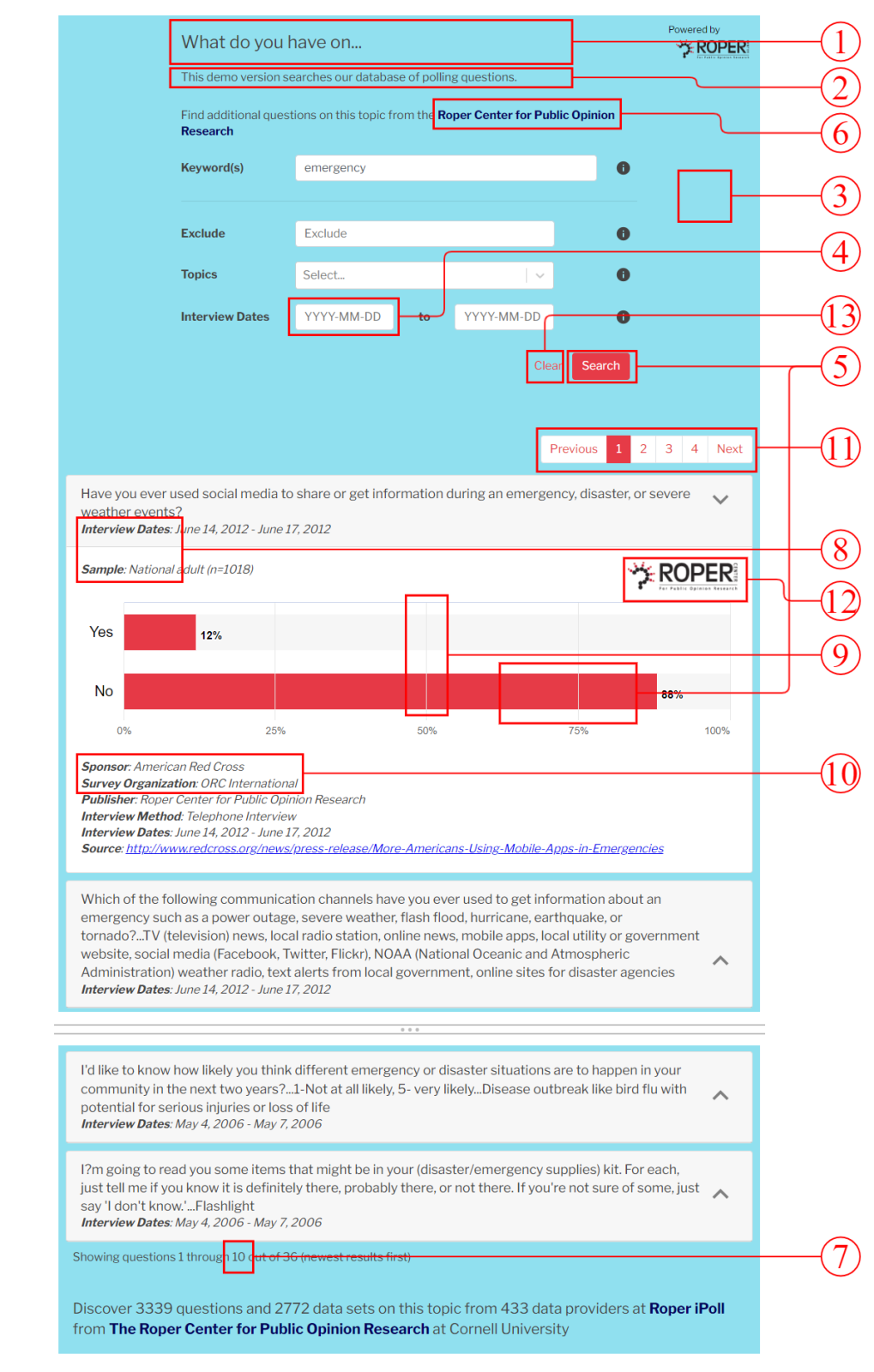
To use the Roper Partner Search software within your organization, proper technical setup is essential. This guide will provide you with the necessary steps required to implement the system, ensuring seamless integration with your existing website.
Overview
The Roper Partner Search software consists of only two files, one JavaScript file for handling its core interactive functions, and one CSS file for layout and styling. You can source them directly from our AWS CDN or download and host the files on your own servers.
You can find a functional version of Partner Search on our site for reference at https://ropercenter.cornell.edu/membership/partner-search
Client Embed Code
The following code is required to be placed on the page where the search portal will appear. If the JS/CSS files are hosted elsewhere, the links in the embed code must be updated accordingly.
In addition, the Roper Center will provide an encrypted API key, which should replace the YOUR_API_KEY placeholder for the apiKey parameter.
The cssTarget parameter takes a DOM element reference, where the system will attach the CSS.
Other options in the parameter set are detailed in the section below for customization.
<div id="roperHost"></div>
<script>
    (function() {
        const roperHost = document.querySelector("#roperHost");
        const roperShadow = roperHost.attachShadow({mode: "open"});
        const appendChildren = (element) => {
            const those = []
            for (const child of element.children) {
                those.push(child)
            }
            for (const child of those) {
                roperShadow.appendChild(child)
            }
        }
        const appendHtml = (html) => {
            let subDocument = new DOMParser().parseFromString(html, "text/html");
            appendChildren(subDocument.head);
            appendChildren(subDocument.body)
        }
        appendHtml("<style>:host { all: initial }</style>")
        appendHtml("<link href='https://s3.amazonaws.com/files.roper.center/partnersearch/2.0.17/roper-ps2.css' rel='stylesheet' type='text/css'/>")
        appendHtml("<div id='partnerCSS'><div id='innerPartner'/></div>")
    })()
</script>
<script src='https://s3.amazonaws.com/files.roper.center/partnersearch/2.0.17/roper-ps2.js' type='module'></script>
<script>
    document.addEventListener('DOMContentLoaded', () => {
        let apiKey = YOUR_API_KEY;
        const shadowRoot = document.getElementById("roperHost").shadowRoot;
        Roper.mountPartnerSearch(shadowRoot.querySelector('#innerPartner'), {
            apiKey: apiKey,
            cssTarget: shadowRoot.querySelector('#partnerCSS'),
            perPage: 30,
            gridLines: false,
            yearOnly: false,
            primaryColor: '#318793',
            backgroundColor: '#f1f1f1',
            linkColor: '#318793',
        })
    })
</script>
</div>